
Blog
Setup and settings guides
Default player, themes, the cache, usage data and updates.
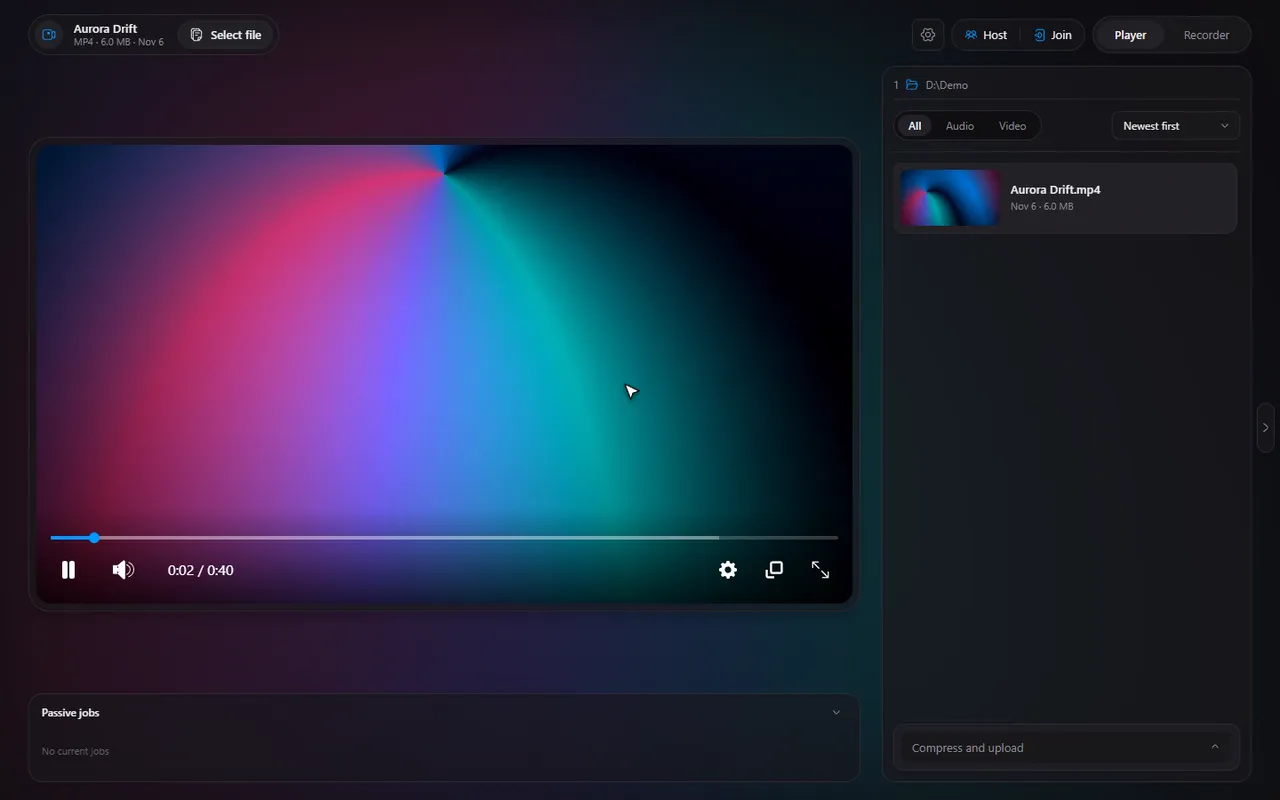
Timeline for Windows: every feature of the free media player and screen recorder
A tour of the whole app: the player, the recorder and watch together, with a link to the full guide for every feature.
2 min read · Nov 7, 2026
Make Timeline your default video player on Windows 10 and 11
Windows decides the default apps. Timeline shows what is set for each of the 13 file types and sends you to the page that changes it.
2 min read · Nov 7, 2026
Timeline settings explained: General, Player, Recorder, Cache, Logs and About
What lives on each Settings page, so you can find the switch you are looking for in seconds.
2 min read · Nov 7, 2026
Free up disk space: what Timeline stores and how to clear it with the cache manager
The Cache page lists every folder Timeline uses, biggest first, with Open and Clear for each. What is safe to clear and what is in use.
2 min read · Nov 7, 2026
Timeline usage data: exactly what is sent, what is never sent, and how to turn it off
An honest list: what the anonymous usage data contains, what is never collected, and the switch to turn it off.
3 min read · Nov 7, 2026
Update Timeline and read what is new: updates, release notes and the changelog
Timeline updates itself from GitHub releases. Where to see your version, read What's new, and get an installer by hand.
2 min read · Nov 7, 2026